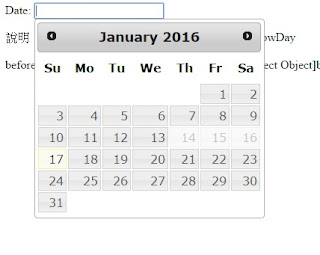
本文說明datepicker 事件 beforeShow beforeShowDay
其效果顯示日曆框前要做的事
一、基本JS/HTML語法
JS:
$("#datepicker").datepicker({
beforeShow : fun1,
beforeShowDay : fun2
});
二、基本說明
beforeShow : fun1
Default: null
function(Element imput,Object inst)
顯示日曆框前要做的事,對input 物件操作。
fun1為自訂方法。
function fun1(input, inst) {
console.log("beforeShow");
console.log("input",input);
console.log("inst",inst);
}
beforeShowDay : fun2
Default: null
function (Date date)
顯示日曆框前要做的事,對日期操作。
fun2為自訂方法。
var array = [ "2016/01/14", "2016/01/15", "2016/01/16" ];
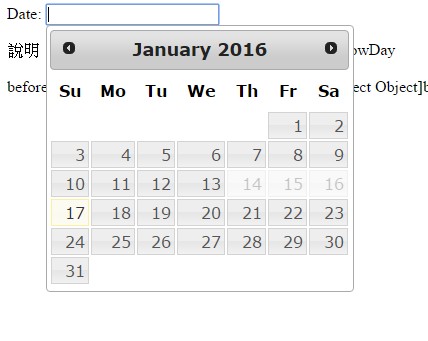
//本方法效果限制不可選的日期。(array中為不可選日期)
function fun2(date) {
var string = jQuery.datepicker.formatDate('yy/mm/dd', date);
console.log("beforeShowDay", string);
return [ array.indexOf(string) == -1 ]
}
三、程式內容
<html>
<head>
<title>jquery.datepicker 23</title>
<meta http-equiv="Cache-Control" content="no-cache" />
<meta http-equiv="Pragma" content="no-cache" />
<meta http-equiv="Expires" content="-1" />
<meta http-equiv="Content-Type" content="text/html; charset=UTF-8">
<link rel="stylesheet" href="http://code.jquery.com/ui/1.11.4/themes/smoothness/jquery-ui.css">
<script src="http://code.jquery.com/jquery-1.10.2.js"></script>
<script src="http://code.jquery.com/ui/1.11.4/jquery-ui.js"></script>
<script>
$(function() {
//23-jQuery datepicker 事件 beforeShow beforeShowDay
$("#datepicker").datepicker({
//設定日期格式
dateFormat : "yy/mm/dd",
//顯示日曆框前要做的事,對input 物件操作
beforeShow : fun1,
//顯示日曆框前要做的事,對日期操作
beforeShowDay : fun2
});
//function(Element imput,Object inst)
//Element input
//Object datepicker
function fun1(input, inst) {
$("#showDateBox").append("beforeShow");
$("#showDateBox").append("input"+input);
$("#showDateBox").append("inst"+inst);
console.log("beforeShow");
console.log("input",input);
console.log("inst",inst);
}
var array = [ "2016/01/14", "2016/01/15", "2016/01/16" ];
//本方法效果限制不可選的日期。(array中為不可選日期)
//function (Date date)
function fun2(date) {
var string = jQuery.datepicker.formatDate('yy/mm/dd', date);
console.log("beforeShowDay", string);
return [ array.indexOf(string) == -1 ]
}
});
</script>
</head>
<body>
<div class="datetest">
<p class="datag">
Date: <input type="text" id="datepicker" value="">
</p>
</div>
<div>說明:jQuery datepicker 事件 beforeShow beforeShowDay </div>
<br>
<div id="showDateBox"></div>
</body>
</html>
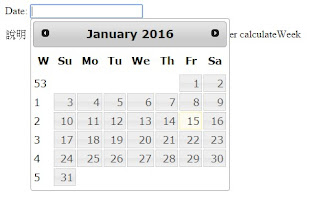
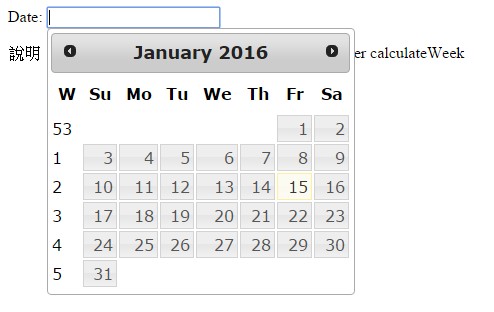
四、執行
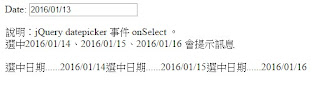
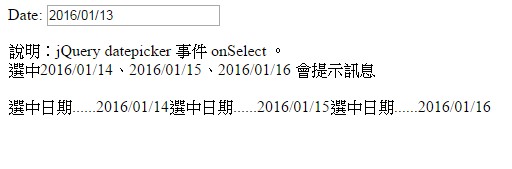
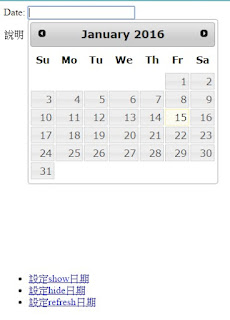
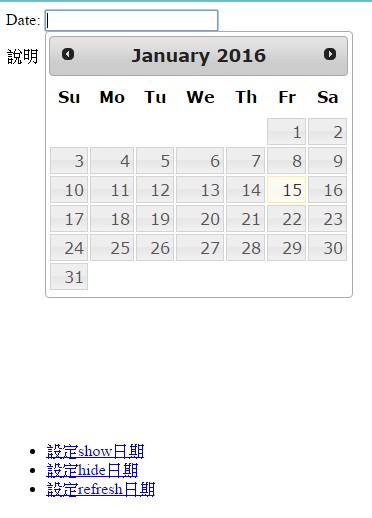
圖1
五、測試
說明:jQuery datepicker 事件 beforeShow beforeShowDay
相關參考:
jQuery datepicker 預設基本樣式jQuery datepicker 月曆樣式種類jQuery datepicker 加入button效果 showOn buttonTextjQuery datepicker 加入月曆icon小圖buttonImage buttonImageOnlyjQuery datepicker 設定動畫效果 showAnim showOptions durationjQuery datepicker 設定動畫效果樣式jQuery datepicker 顯示及格式相關 appendText altField altFormat autoSize dateFormat constrainInputjQuery datepicker 日期解析及格式相關方法 parseDate formatDatejQuery datepicker 月曆框下拉式年月份 changeMonth changeYear showMonthAfterYearjQuery datepicker 月曆框功能鍵 showButtonPanel closeTextType currentText nextText prevText navigationAsDateFormatjQuery datepicker 設定月曆顯示文字 dayNames dayNamesShort dayNamesMin monthNames monthNamesShortjQuery datepicker 設定多個月曆框 numberOfMonths showCurrentAtPosjQuery datepicker 設定月曆框上下月按鈕效果 showOtherMonths selectOtherMonths stepMonths isRTL gotoCurrentjQuery datepicker 設定限制日期最小最大 minDate maxDate hideIfNoPrevNextjQuery datepicker 設定月曆框的預設日期 firstDay defaultDatejQuery datepicker 設定年份範圍 yearRange yearSuffix shortYearCutoffjQuery datepicker 設定周數 showWeek weekHeader calculateWeekjQuery datepicker Methods getDate setDatejQuery datepicker Methods show hide refreshjQuery datepicker Methods destroy isDisabled其它參考:
jQuery教學目錄其它文章
首頁JAVA教學目錄JSP教學目錄Apache教學目錄Google App Engine教學目錄JBoss教學目錄Android教學目錄Grails教學目錄SSH教學目錄Window教學目錄Linux教學目錄PHP教學目錄C教學/C++教學目錄jQuery教學目錄HTML5教學/CSS3教學目錄JavaScript教學目錄MySQL教學目錄Oracle教學目錄SQL Server教學/PostgreSQL教學/其它資料庫教學目錄Eclipse教學及開發相關工具教學目錄程式開發基本資訊目錄其它技術教學目錄





 ZK (1)