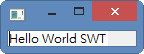
本文教學如何引用Eclipse 所包覆的套件以及SWT.jar基本範例
1.建立Java Project
2.引入SWT.jar
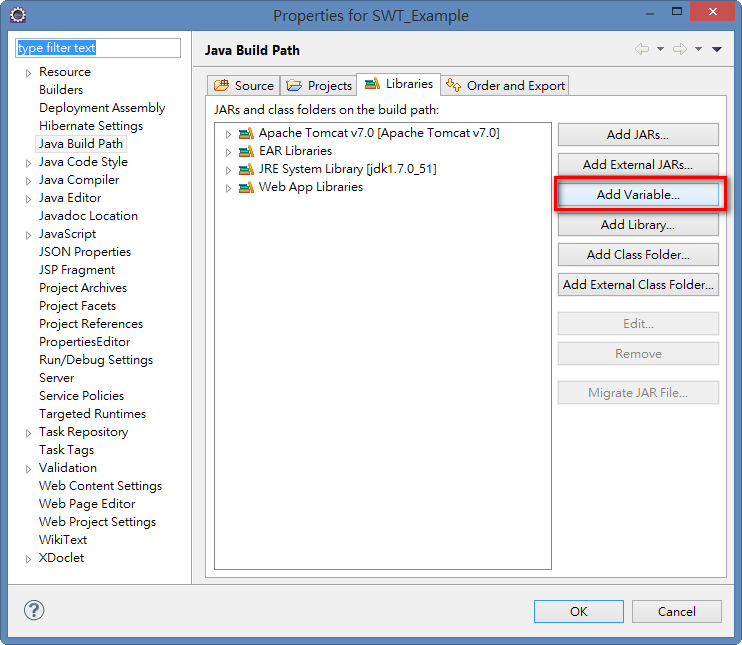
A.選擇Build Path
B.選擇Add Variable
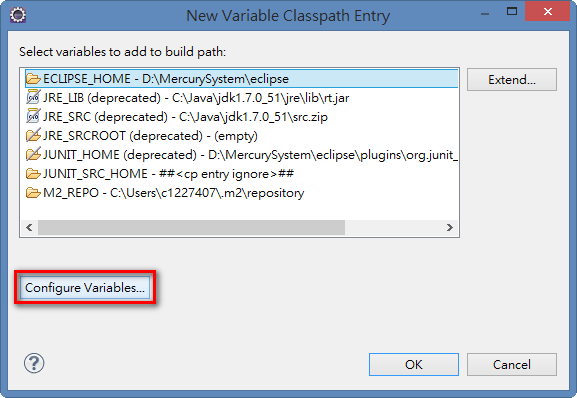
C.選擇Configure Variables
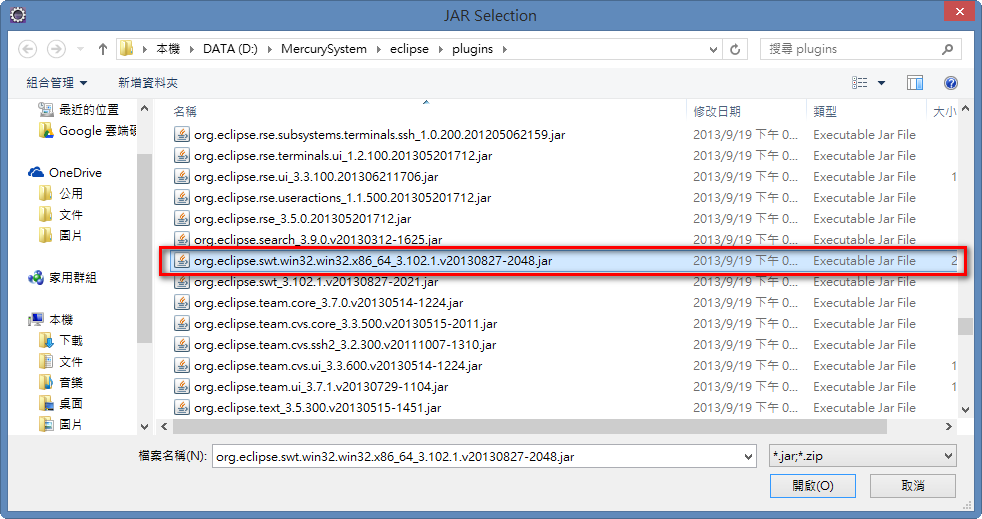
D.從eclipse plugins 尋找該jar
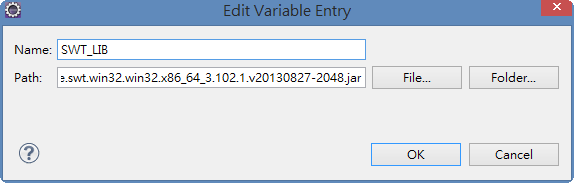
E.設定結果
F.程式部分
package SWT_Sample;

import org.eclipse.swt.SWT;
import org.eclipse.swt.widgets.Display;
import org.eclipse.swt.widgets.Shell;
import org.eclipse.swt.widgets.Text;

public class SWTFirst {

 public static void main(String[] args) {
  //初始化視窗

  //Step1. 建立 Display 類別
  Display display = new Display();

  //Step2. 建立一個或者多個 Shell 類別
  Shell shell = new Shell(display);

  //Step3. 在 Shell 內部建立各種結構
  Text helloWorldTest = new Text(shell, SWT.NONE);
  helloWorldTest.setText("Hello World SWT");
  helloWorldTest.pack();

  shell.pack();

  //Step4. 對各個結構進行初始化(外觀,狀態),並同時為各個結構事件監聽器進行創建
  shell.open();

  //Step5. 各種事件進行監聽並處理
  while (!shell.isDisposed()) {
   if (!display.readAndDispatch()) {
    display.sleep();
   }
  }

  //Step6. 呼叫Display.dispose()方法結束程式
  display.dispose();
 }

}
文章標籤
全站熱搜

 ZK (1)