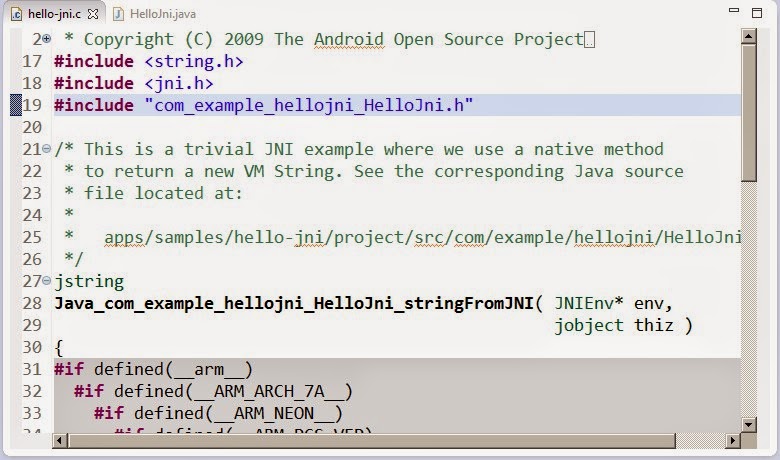
Method NewStringUTF could not be resolved 解決問題 圖1 錯誤訊息 Method 'NewStringUTF' could not be resolved Type 'jobject' could not be resolved Type 'jstring' could not be resolved Type 'JNIEnv' could not be resolved
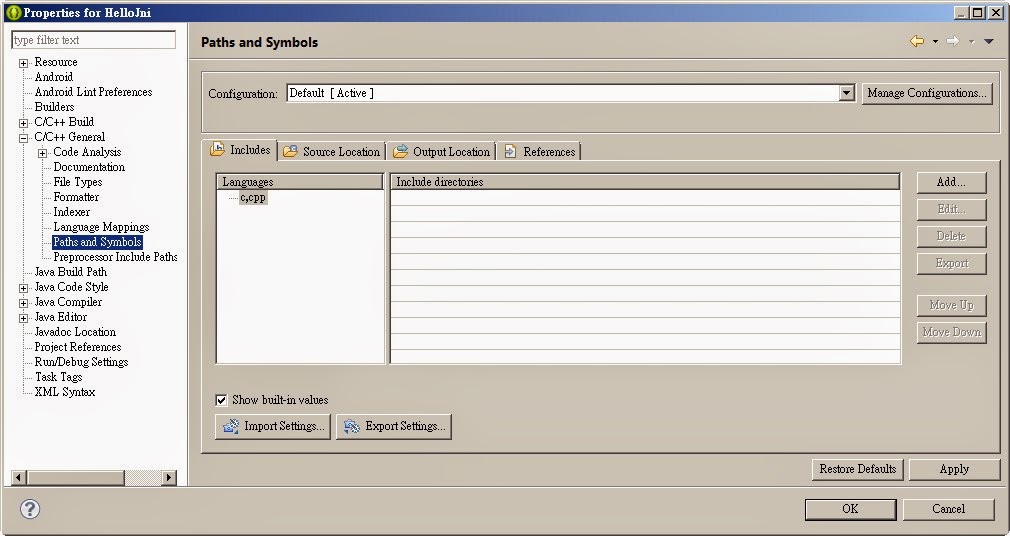
解決方法: 在專案按下右鍵出顯圖2
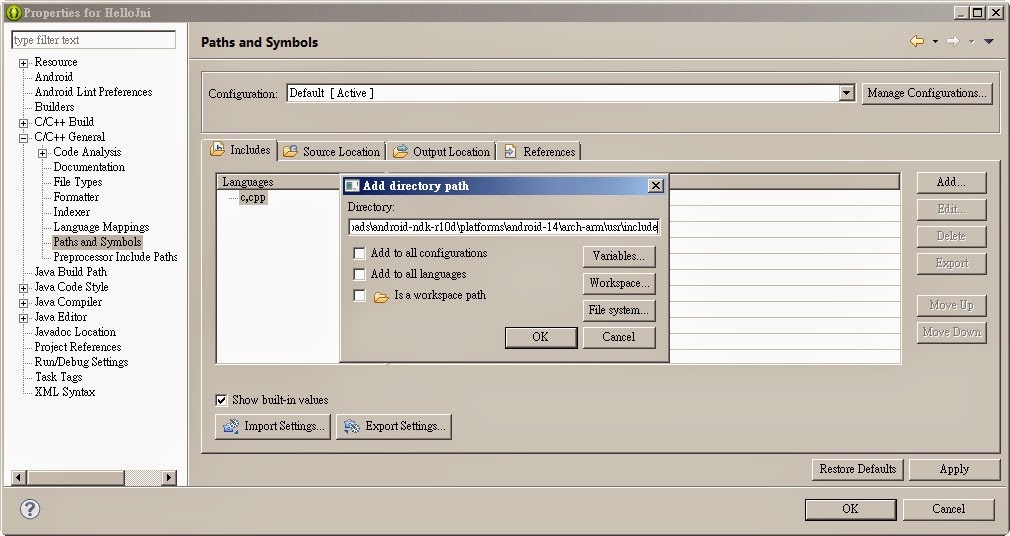
圖3 1、C/C++ General ->Paths and Symbols -> 右邊的Add.. 2、輸入 路徑 [NDK 目錄]+ platforms\android-[版號]\arch-arm\usr\include 例: [NDK 目錄] 為: C:\Downloads\android-ndk-r10d\ 版號 : 14 組合輸入如下: C:\Downloads\android-ndk-r10d\platforms\android-14\arch-arm\usr\include 3、按下ok
圖4 解決後
感謝~ 回Android目錄
文章標籤
全站熱搜

 ZK (1)