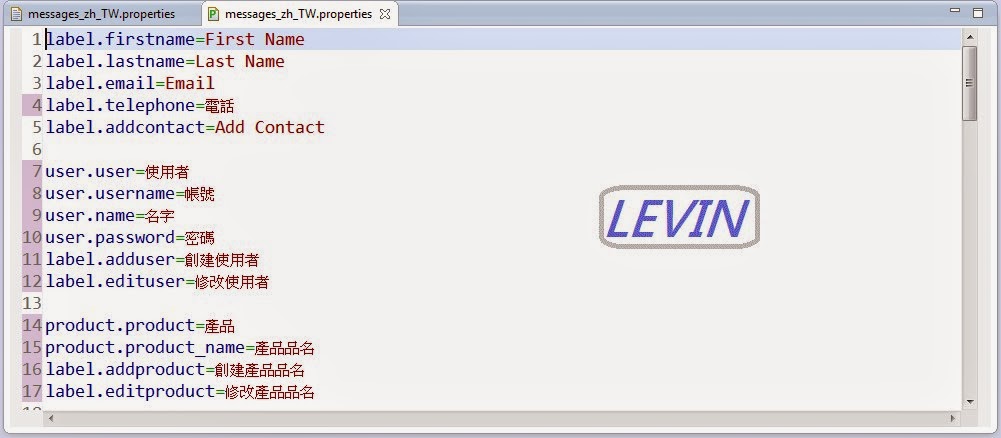
相關問題: 如何編輯properties檔 無法編輯properties檔 說明: 在專案中的properties按右鍵->Open With 主要的三種選擇 PropertiesEditor Text Editor System Editor 如圖
PropertiesEditor 使用PropertiesEditor工具編輯properties檔 如圖
Text Editor 使用Text工具編輯properties檔 如圖
System Editor 使用系統工具編輯properties檔 如圖
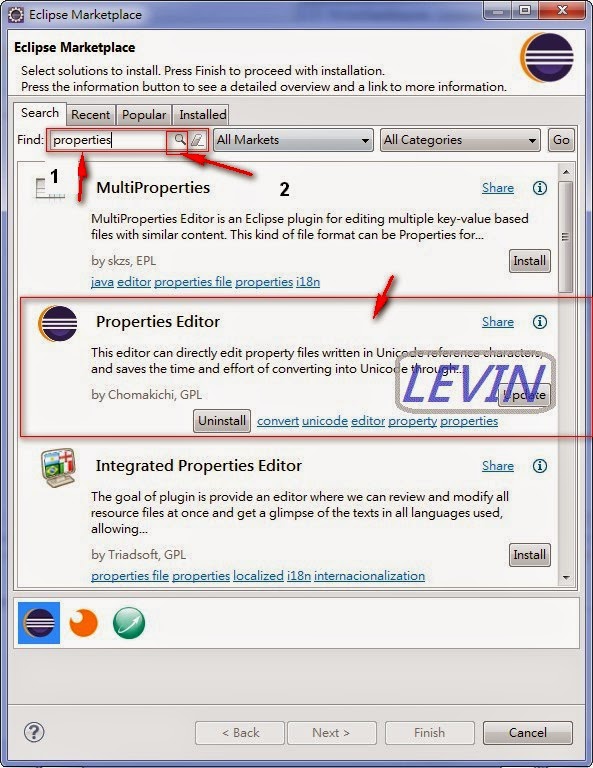
如果你沒有PropertiesEditor 工具 請下載更新 請選擇->Help->Eclipse Marketplace... 如圖
找PropertiesEditor 工具, 在Find框輸入:Properties (圖中1) 按下輸入框右邊(圖中2) 按下PropertiesEditor 工具(圖中3) 安裝這裡就不多說了。
文章標籤
全站熱搜

 ZK (1)