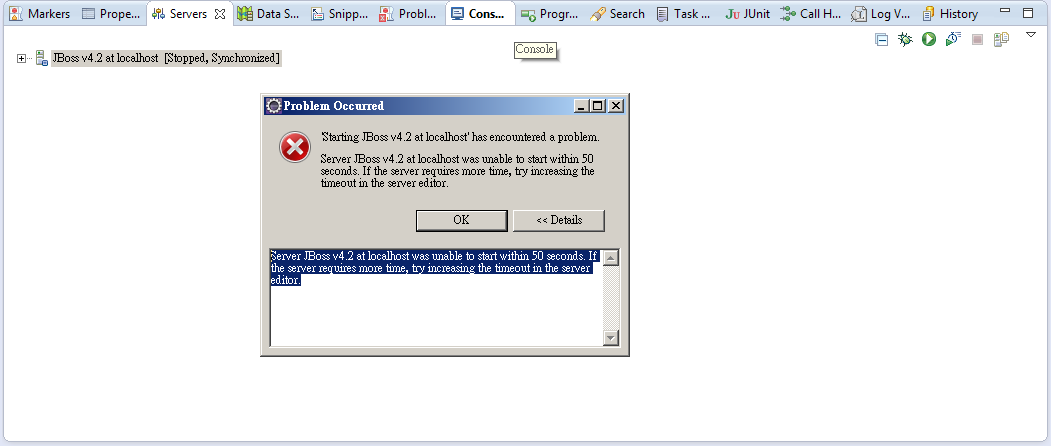
Eclipse啟動JBoss 執行錯誤(timeout) Eclipse中啟動JBoss v4.2 錯誤提示: Starting JBoss v4.2 at localhost has encountered a problem Server JBoss v5.0 at localhost was unable to start within 50 seconds. If the server requires more time, try increasing the timeout in the server editor.
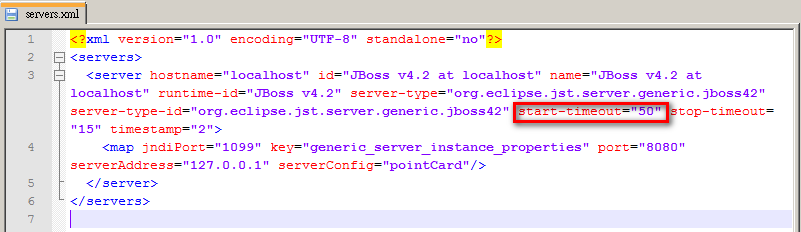
方法一: 修改文件servers.xml 路徑: workspace\.metadata\.plugins\org.eclipse.wst.server.core\servers.xml。 修改: start-timeout="50" 50 為50秒,改為你啟動JBoss所需的時間。 如圖:
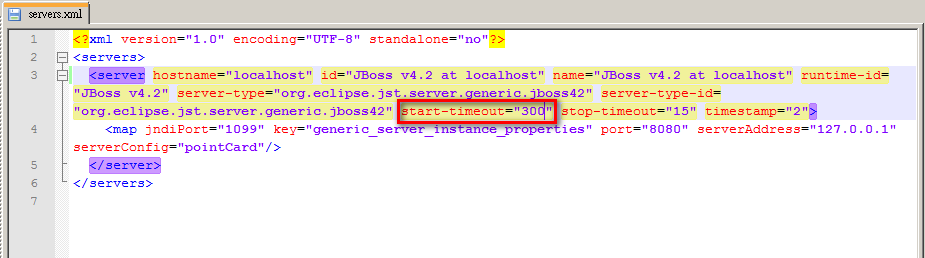
這裡改為5分為300秒。 start-timeout="300"
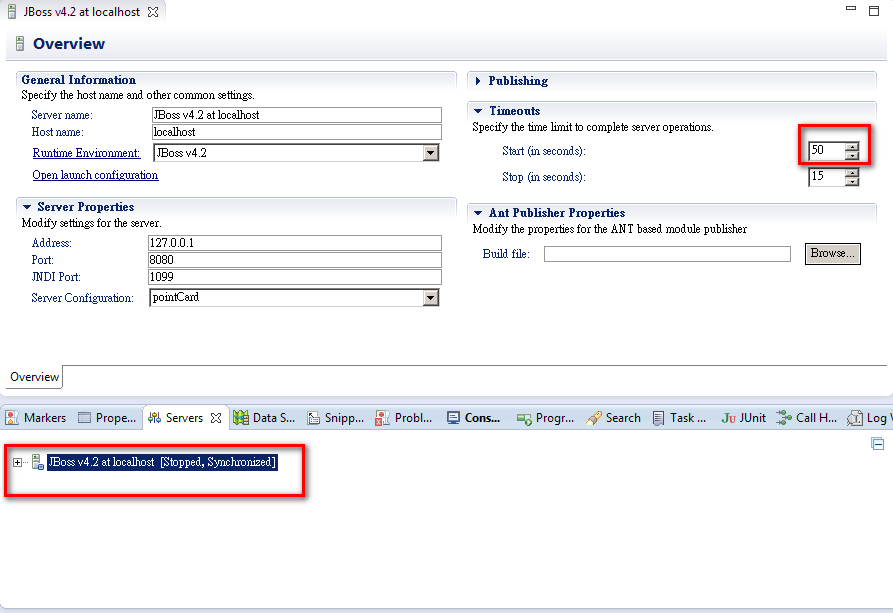
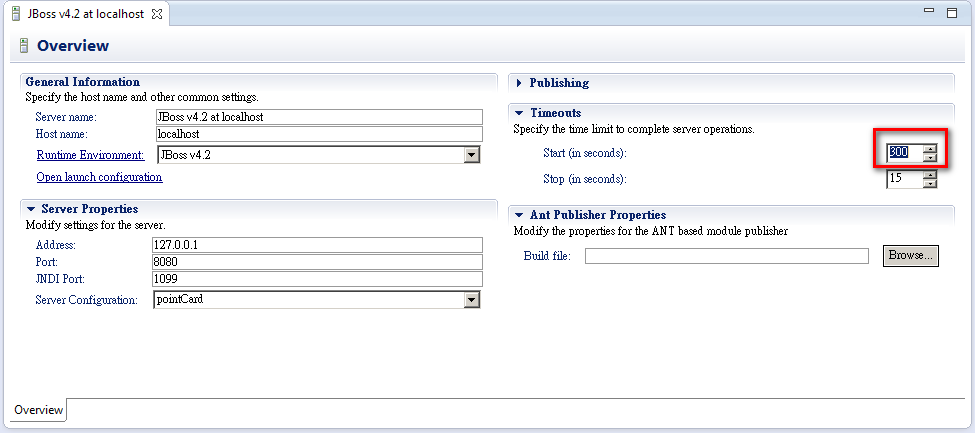
重新啟動Eclipse。 方法二: 在eclipse中的Servers介面修改。 如圖: 點二下JBoss -> 顯示JBoss Servers介面 ->點選Timeouts->修改Start
這裡改為5分為300秒。 start-timeout="300"
文章標籤
全站熱搜

 ZK (1)